Overview
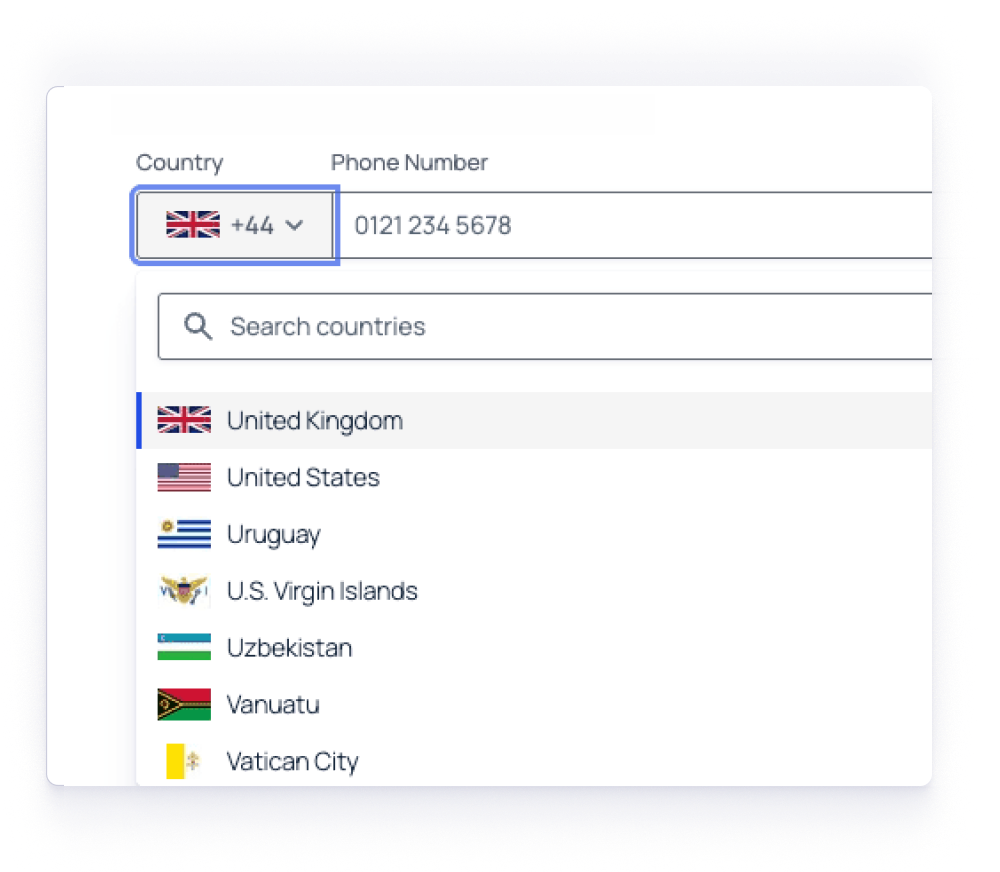
Gravity Forms 3.0 includes significant improvements to the Phone Field when offering international phone number formats. It has been enhanced with improved accessibility, clearer labeling, and better visual design. These updates make it easier for users to select their country and enter phone numbers, while maintaining semantic HTML structure.
What’s New
Visible Sub-Labels
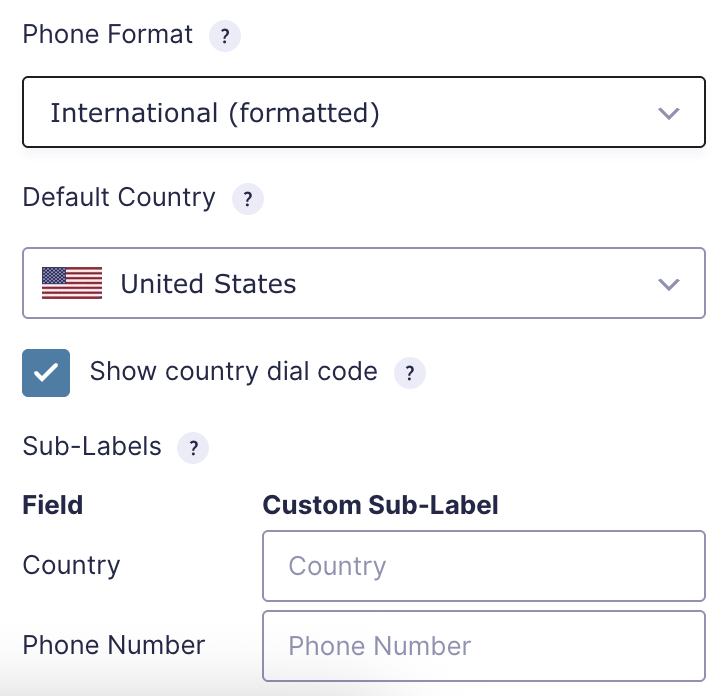
Country selection and phone input now display visible sub-labels, making it clear what each field represents. You can customize these labels in the form editor using the Sub-Labels setting.
Improved Field Structure
The field now uses semantic HTML. The field wrapper changed from a div to a fieldset, and the field label changed from a label to a legend. This provides a better structure for assistive technologies.
Country Search Accessibility
When users search for a country in the dropdown, a aria-live region announces the number of results found, helping screen reader users navigate the list more efficiently.
Enhanced Visual Design
The “no countries found” message now uses a text color that meets WCAG color contrast standards for improved readability.
Where to Find It
These improvements apply only to the International (Formatted) phone format. Access the updated sub-label settings in the form editor under the Phone field’s General Settings.