Introduction
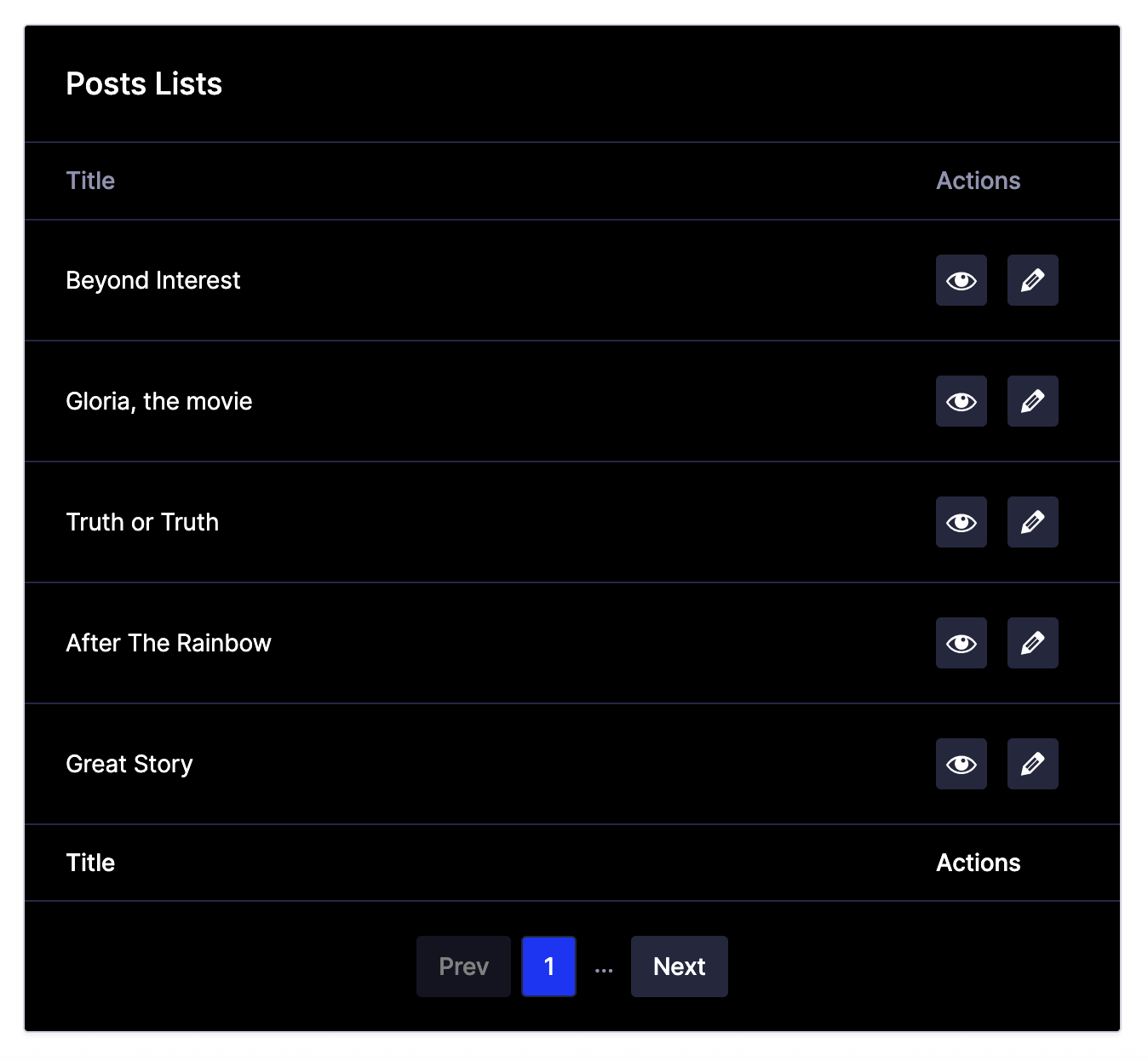
The Advanced Post Creation (APC) Post List block is available within the WordPress block editor and can be used to insert a table of editable posts on a page or post. This article details the settings available for the APC Post List block once it has been inserted.
Accessing the Block Settings
Within your page or post, ensure that the APC Posts block is selected from within the page editor. Ensure that the sidebar option is active in the top right corner of the editor, and then select the Block tab that appears.
Block Settings
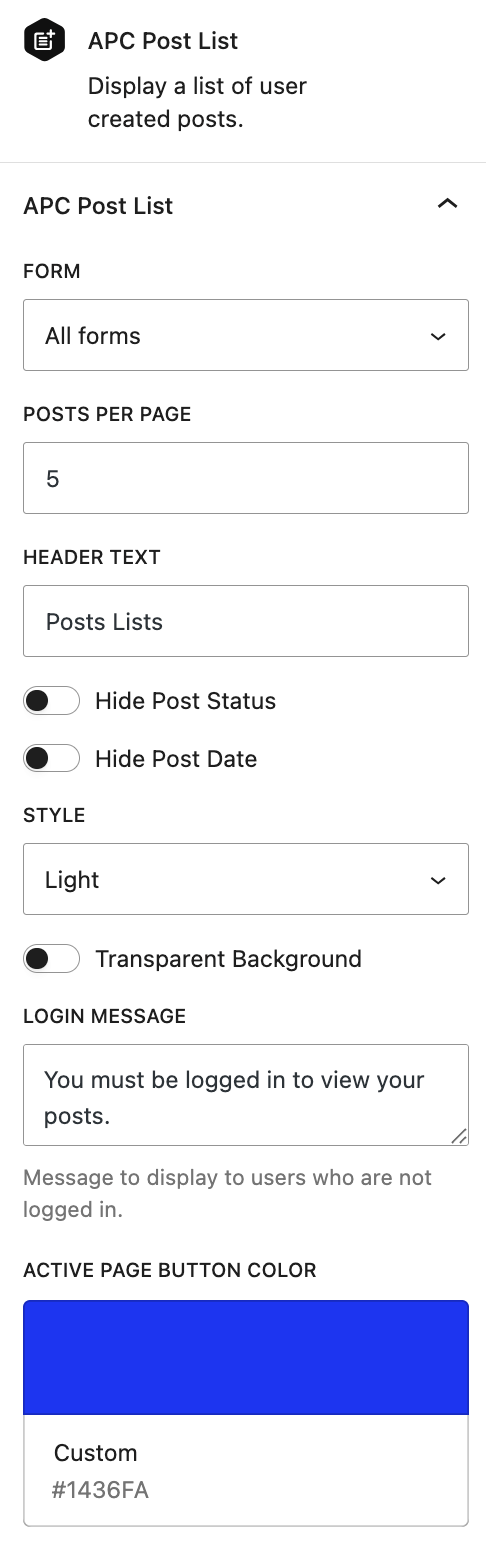
The various settings panels available for the APC Posts block are detailed below.
Settings Reference
| Setting | Description |
|---|---|
| Form | Allows you to specify what form’s posts you would like to show in this APC Posts Block. Only forms with configured post creation feeds are available. |
| Posts per Page | Specifies the number of posts to display per page in the table. |
| Header Text | Sets a custom title to display above the post table. |
| Hide Post Status | Toggles the appearance of the post status column in the table. |
| Hide Post Date | Toggles the appearance of the post date column in the table. |
| Style | Choose between Light or Dark theme for the table’s appearance. |
| Transparent Background | Toggles whether the table’s background matches the page’s background (most noticeable with colored theme backgrounds). |
| Login Message | Message to display to users who are not logged in. |
| Active Page Button Color | Sets the color of the pagination button for the current page. |
Notes
Previewing Changes
Changes to settings such as Posts per Page, Hide Post Status, or Style will be reflected in the block preview within the editor, provided they are enabled.
Theme Considerations.
The Style and Transparent Background settings may appear differently depending on your theme. Test with a WordPress default to see the full effect, especially for colored backgrounds.