

Overview
Gravity Forms allows you to star entries in the entry list to help you and your team quickly identify and prioritize submissions that need attention.
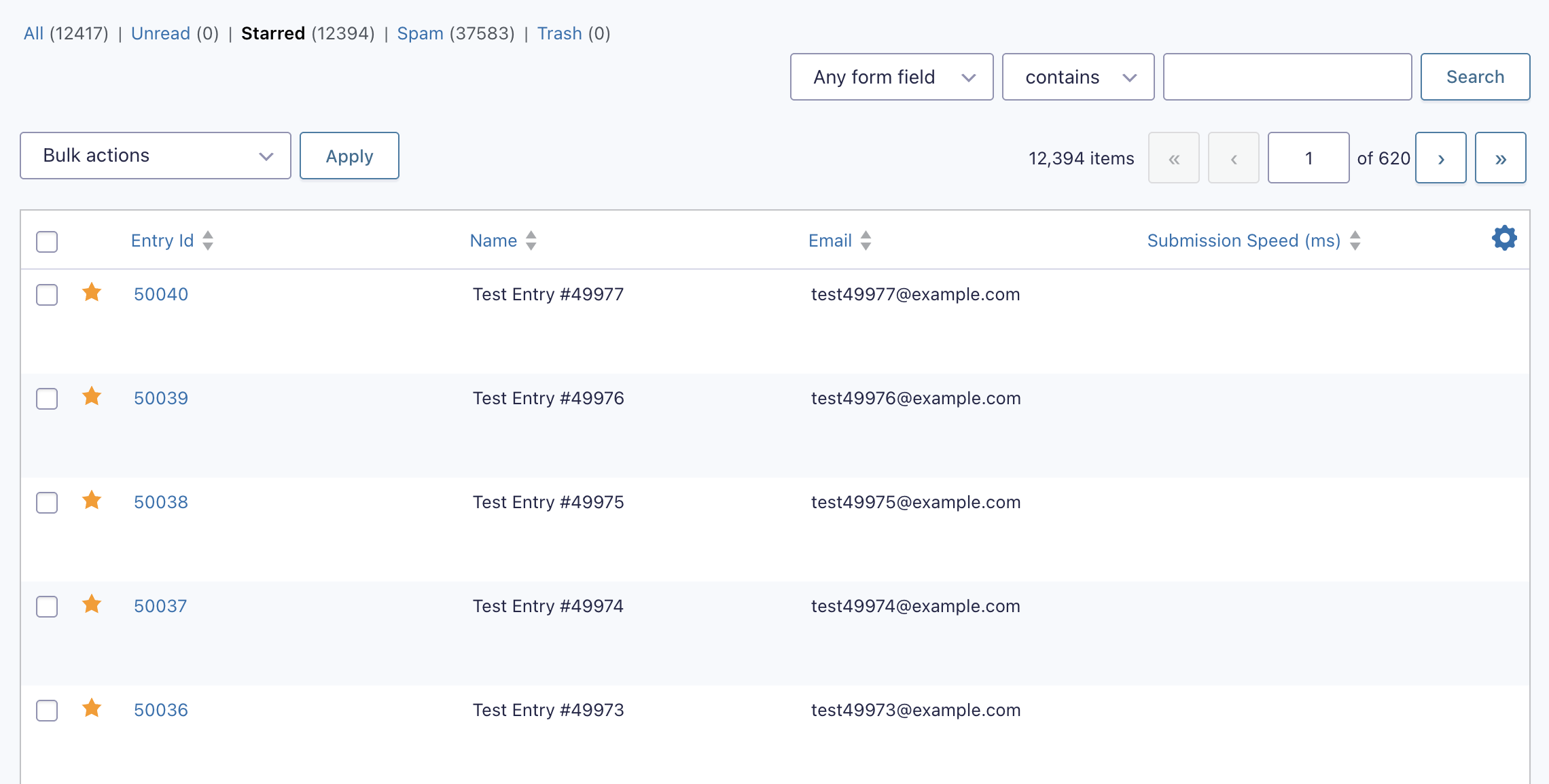
Starring an entry marks it with a visual indicator in the entry list, making it easy to scan for high-priority or notable submissions at a glance.
🔖 Tip: Stars are a manual flag. They have no effect on form processing or notifications, but serve as a lightweight organizational tool for managing entries via the WordPress dashboard. Use them to indicate favorites, identify important clients, mark items that need follow-up, or any other purpose that suits your workflow.
How to Star an Entry
- Go to the Entries List for a form.
- Click the star icon to the left of the Entry ID to toggle the star status.

Filtering by Starred Entries
A Starred link, with entry count, appears above the entries list table. This link lets you view entries marked as starred.

Sample Use Cases
Starring entries is useful in a number of workflows, including:
- Flagging high-value orders or payments that require follow-up.
- Identifying new or significant customers.
- Marking time-sensitive requests that need immediate action.
- Setting aside example or reference entries for staff training.
- Indicating to junior staff which entries to process next.
Exporting Starred Entries
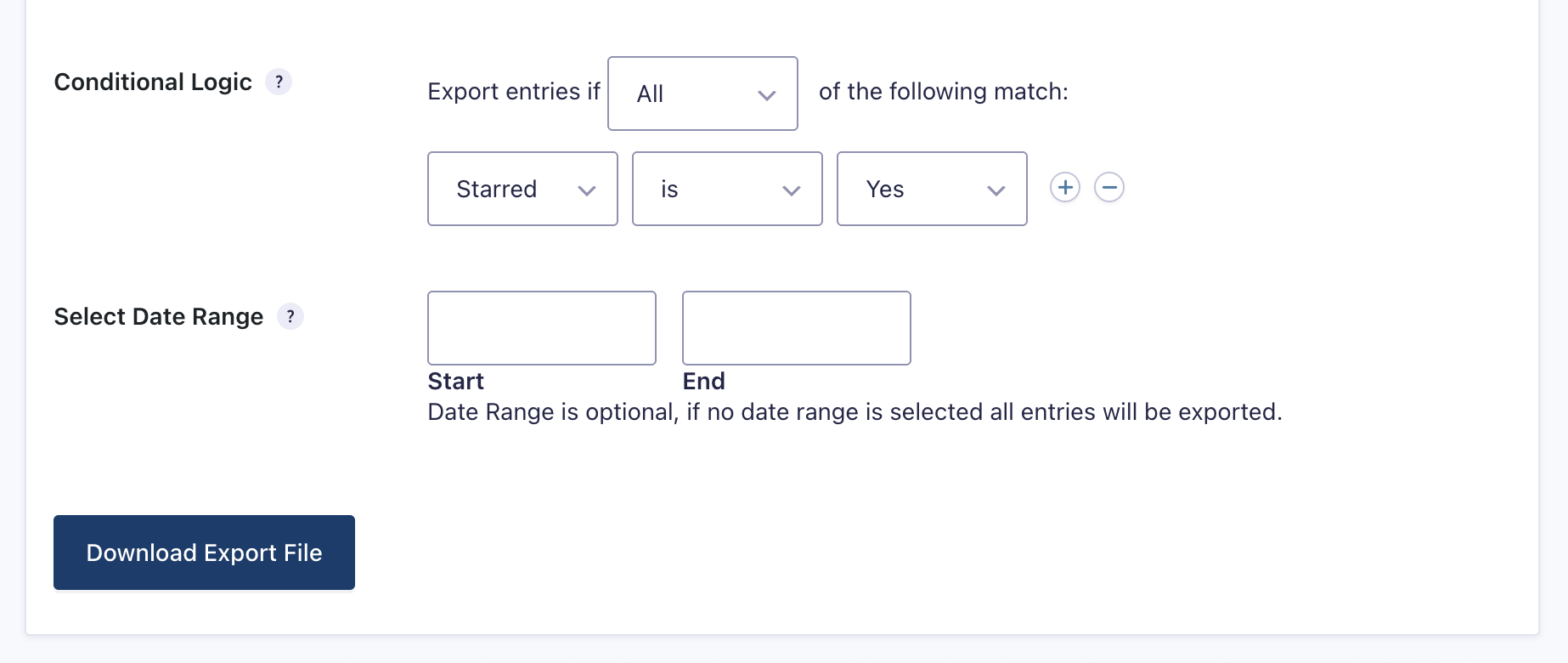
This allows you to export only the entries your team has flagged for follow-up or review. Refer to the Exporting Form Entries article for more information.
Notes
- Starring an entry does not trigger any notifications or automations.
- Stars are visible to all users who have access to the entry list for that form.
- Starred status is preserved when filtering or searching entries.