

Overview
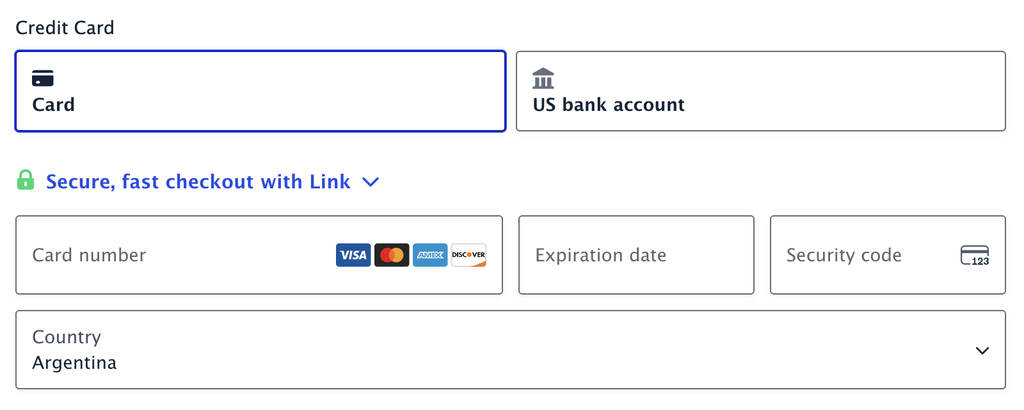
If your form uses the Stripe Payment Element (Stripe Field), you may notice that the card details a customer has already entered disappear when something in the form changes the total.
For example, a customer enters their card number, then changes the quantity of a product, but the Payment Element returns empty. This is the expected behavior since Stripe Add-On 7.0.0 and later, not a bug.
Why Card Details Are Cleared
The Payment Element is created using a Stripe payment intent, which is tied to the amount being charged. When the form total changes, the add-on has to rebuild the Payment Element with a new payment intent reflecting the updated amount, and rebuilding the element discards anything previously entered.
In previous versions of the Stripe Add-On, the amount was updated in place, which is why the entered card details used to be kept.
Confirming the Cause
- Your site is running Stripe Add-On 7.0.0 or later.
- The form uses the Payment Element (Stripe Field).
- The card details are cleared after the total changes, not before.
To see it for yourself, use a form with a Product field, a Quantity field, and a Stripe field, then follow these steps:
- Set the Quantity to 1 so the total is greater than zero and the Payment Element appears.
- Enter the Stripe test card number 4242 4242 4242 4242.
- Change the Quantity.
- The Payment Element is rebuilt, and the card details are cleared.
What You Can Do
Because the payment intent must match the amount being charged, there is no setting to keep the entered details when the total changes. You can, however, reduce how often customers run into it. Place the fields that affect the total, such as Quantity, Options, or Coupons, before the Stripe field so customers settle on a total before they reach the payment section.