

Summary
The Dropbox Upload field uses the Dropbox JavaScript Chooser API to allow your users to select files from their Dropbox account. When the form is submitted, the field value will contain the Dropbox preview links for the selected files.

During submission, if your form also includes a Dropbox feed, the feed processor loops through all selected Dropbox Upload fields for the form and sends a copy request to Dropbox to move the selected files to the Dropbox folder specified in the feed settings. Once the copy requests are complete, the Gravity Forms entry is updated with the new Dropbox links and notifications are sent out.
Note: The Dropbox Upload field is only available when you have configured the add-on to use a custom app. See the Creating A Custom Dropbox App article for more details.
If the account from which the file is being uploaded is the same as the account to which the file is being uploaded, the Dropbox share link will be to the original file location. Same account includes:
– Uploading from a personal account to the same personal account
– Uploading from a personal account to a business account that is linked to the personal account
– Uploading from a business account to a personal account that is linked to the business account
Common Settings
For a description of each of the common field settings, refer to this article. Below are descriptions of specialty settings specific to this field.
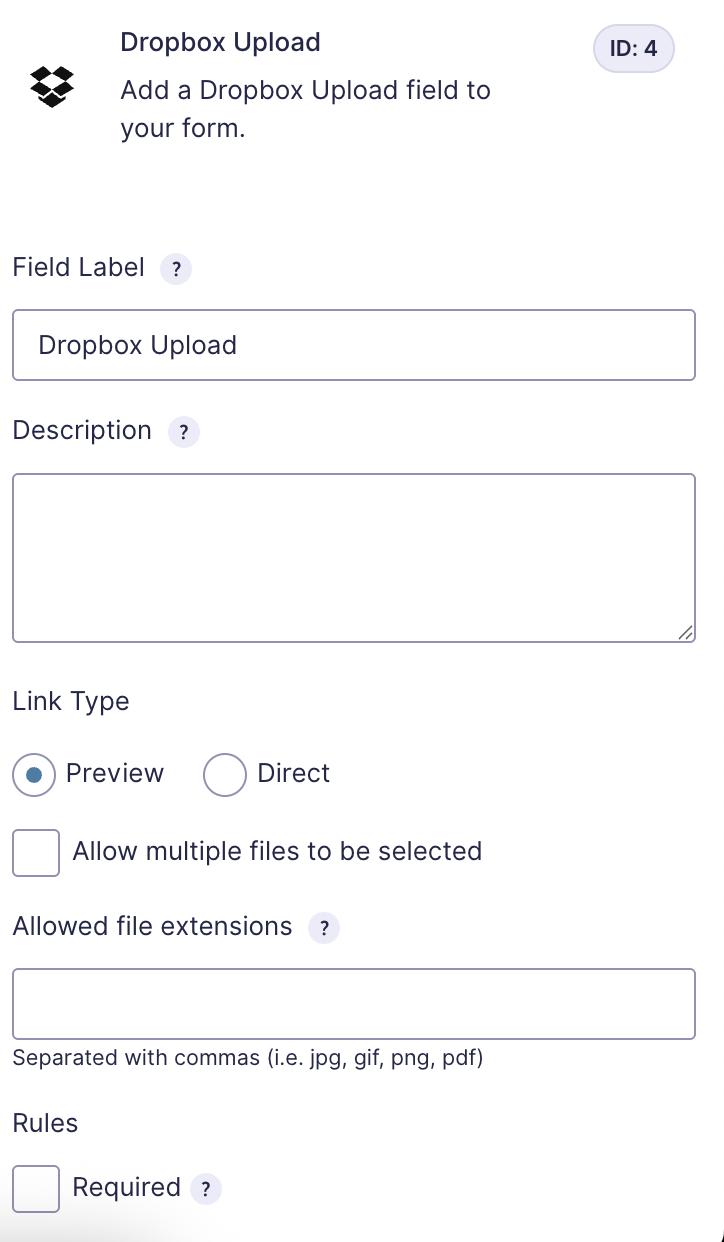
Link Type
Select Preview to open a preview page where the recipient can view and optionally download the file. Select Direct Download to trigger an immediate download when the link is clicked.
Merge Tags
For more information on using merge tags, refer to this article.