

Summary
Note: Stripe 6.X → 7.X is a major version upgrade and may include breaking changes that affect existing functionality. We recommend testing your integration in a Staging enviroment before upgrading production sites, and reviewing the Upgrading from Stripe 6 section below.
The Stripe Add-On 7.0.0 is the latest feature release for our Stripe integration. It brings the payment outcome handling introduced in Stripe 6.0 to the Stripe Payment Element, adds support for Stripe Sandboxes, and introduces automatic webhook configuration.
The Stripe Add-On 7.0.0 also adds a new notification event for payments that are taking an unusually long time to process, and a new JavaScript filter for customizing Stripe elements.
New Features
Prerequisite: Stripe 7.0.0 requires Gravity Forms 2.9.31 or later.
Automatic Webhook Configuration
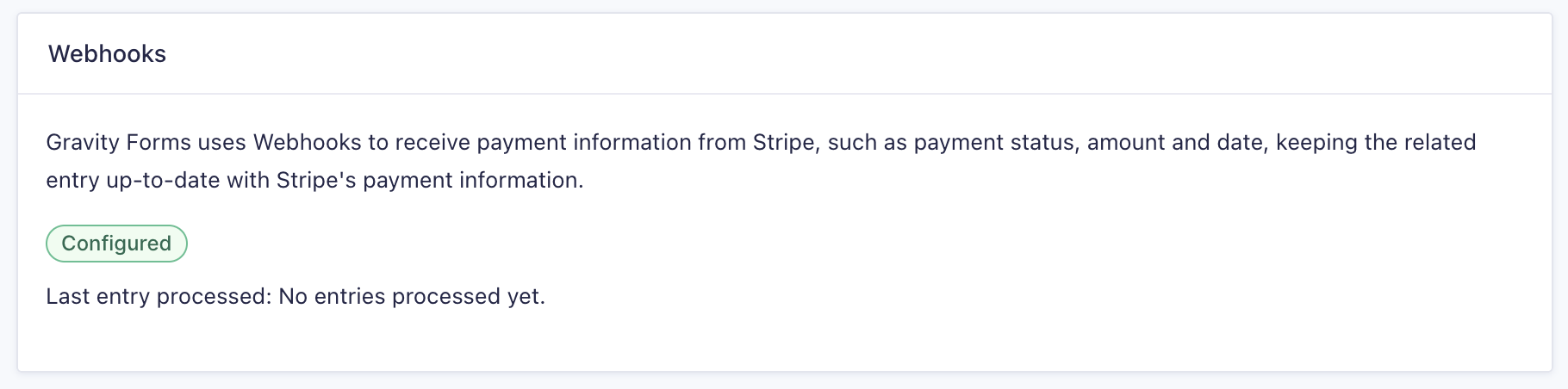
The Webhook settings have been updated to allow for automatic webhook configuration and validation. Previously, webhooks had to be created and configured manually.
Stripe 7.0.0 handles this setup for you and validates that the webhook is working as expected.
If you already had webhooks configured manually before upgrading, see the Upgrading from Stripe 6 section below for what to expect and how to resolve validation issues.
Stripe Sandbox Support
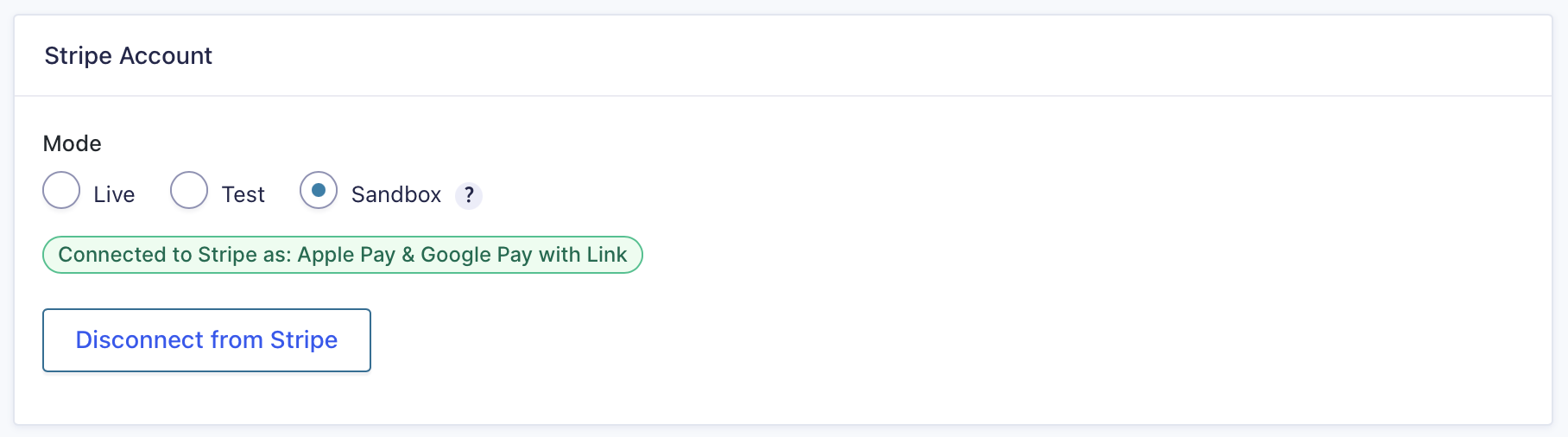
Adds support for authenticating using Stripe Sandboxes. A sandbox gives you an isolated environment for testing your payment integration, separate from your live account, so you can verify feeds, webhooks, and payment flows without affecting real transactions or data.
AJAX Submission Method
Stripe 7.0.0 is the first add-on to use the new AJAX submission method introduced in Gravity Forms 2.9. The entry is now created before the payment is processed in Stripe, so customers can no longer be charged without an entry, even if they close the browser or navigate away partway through.
Refer to the AJAX Submission Method article for more information, including how it differs from legacy AJAX.
Entry Creation Changes
The process for creating and managing entry events with the Stripe Payment Element payment method has been updated to create an entry when a payment fails. The payment result is recorded in the Payment Status field of the entry.
The Payment Element also supports post-payment actions, allowing add-on feeds to fire only when payment succeeds. Refer to the Post Payment Actions For Stripe article for more information.
Note: If you have other add-on feeds (e.g. Mailchimp, Zapier, User Registration) configured on forms that use the Stripe Payment Element, audit those feeds to confirm they’re set to process only on payment success. See Feed Triggering Implications for details.
Payment Processing Message
The Stripe Payment Element field now adds a “Payment Processing” message to the submit button while a payment is being processed. This gives customers clear feedback that their submission is underway and discourages repeat submissions while Stripe completes the transaction.
Payment Processing (stale) Notification Event
Adds support for the Payment Processing – stale notification event. This allows notifications to be sent when a payment is taking an unusually long time to process, so you can keep customers informed rather than leaving them in the dark. This event requires Gravity Forms 2.9.28 or later.
Check out this article for more information on payment notification events.
Customer Information for Card Element Feeds
The Customer Information section has been added to Card Element product feeds. This allows customers to be created on Stripe when using the Stripe Card Element field for payment collection, bringing product feeds in line with the customer handling already available elsewhere in the add-on.
New Filters
Stripe 7.0.0 introduces a new JavaScript filter for enhanced customization and control over form behavior and integration.
Upgrading from Stripe 6
Webhook Configuration and Messaging
If you’re upgrading from Stripe 6 or earlier and already had webhooks configured in your Stripe dashboard, your update process may finish with the webhooks status as “Configured” but also with the message “Unable to validate webhook”.
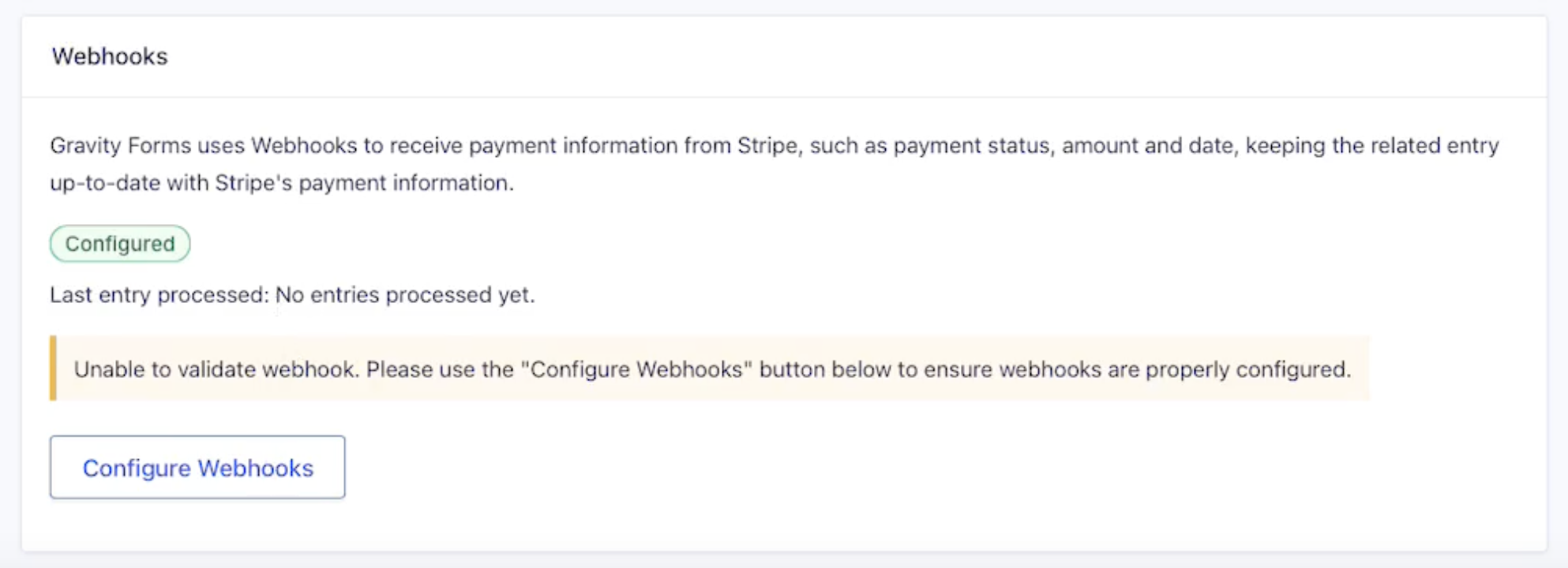
For security reasons, Stripe 7 does not have access to the previously used signing secret that was used to set up your webhooks, and cannot validate them. You can complete this validation by clicking the Configure Webhooks button, and Stripe 7.0.0 will regenerate them.
Known Incompatibilities
Forms that use subscriptions with the legacy Credit Card field may show an error on submission even though the payment succeeds, leading customers to resubmit and be charged multiple times.
Note: The Gravity Forms Credit Card Field has been deprecated and is no longer supported with all our modern payment add-ons. Instead, use the appropriate gateway-specific payment collection field.
Frequently Asked Questions
Why is the Stripe card field not showing?
The Stripe Field stays hidden on page load until a product is selected or a quantity is entered. Learn why and how to change it.
Why are the credit card details cleared when the form total updates?
This is expected behavior in Stripe 7.0.0. To prevent the card details from being cleared when the form total is updated, place fields that affect the total before the Stripe Field. See why.
Do Post Payment Actions still work?
While Post Payment Actions are still supported, we recommend using payment status conditional logic to control when your feeds run. Conditional logic is set on the feed and can also respond to other payment statuses, such as Failed or Refunded, so you can run a different feed for each payment outcome. Feeds that already use Post Payment Actions continue to work, so you can migrate them when you are ready. See Migrating from Post Payment Actions to Feed Conditional Logic for the steps.
Changelog
View the full Changelog for the Stripe Add-On.