

Summary
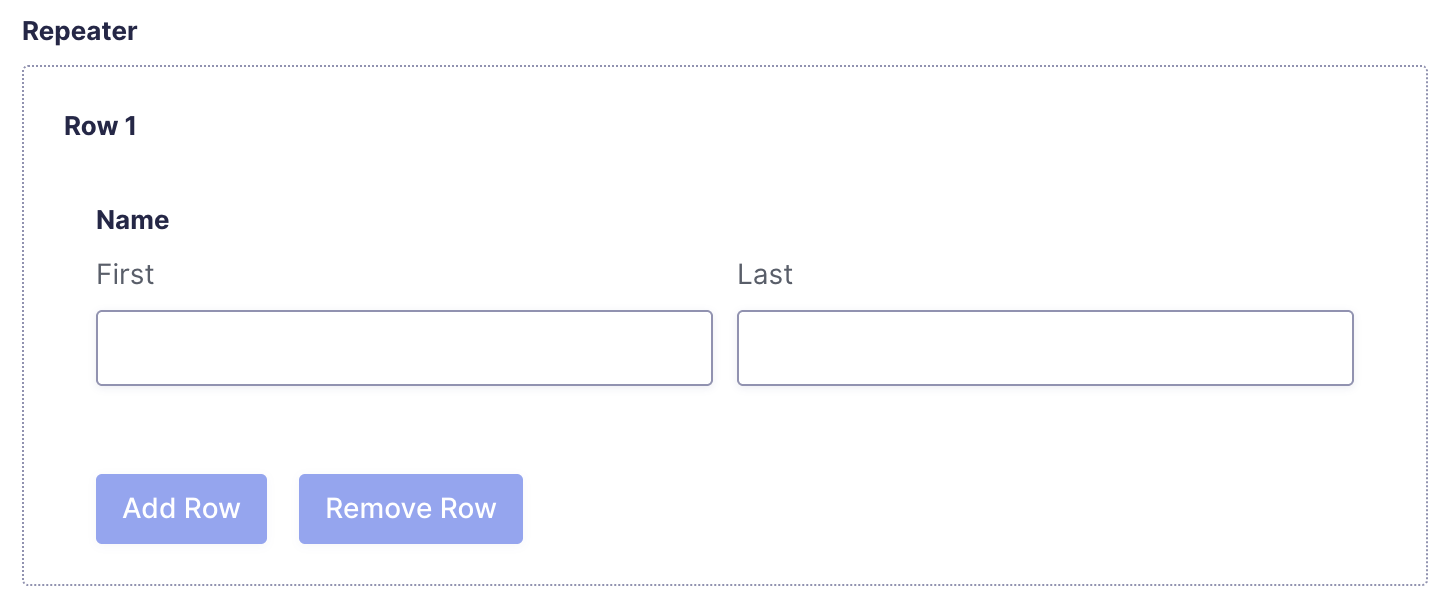
A Repeater field is a collection of other Gravity Forms fields combined into a set that can be entered multiple times within a single form submission. This allows users to submit multiple instances of the same field group.
Multiple attendees with names and job titles, or multiple phone numbers with country codes and types, in a single submission. Repeater fields can also be nested within other repeater fields for complex data structures.
Common Settings
This field uses only common field settings for the General settings. For a description of each of the common field settings, refer to this article. Below is a description of specialty settings specific to this field.
General Settings
| Setting | Description |
|---|---|
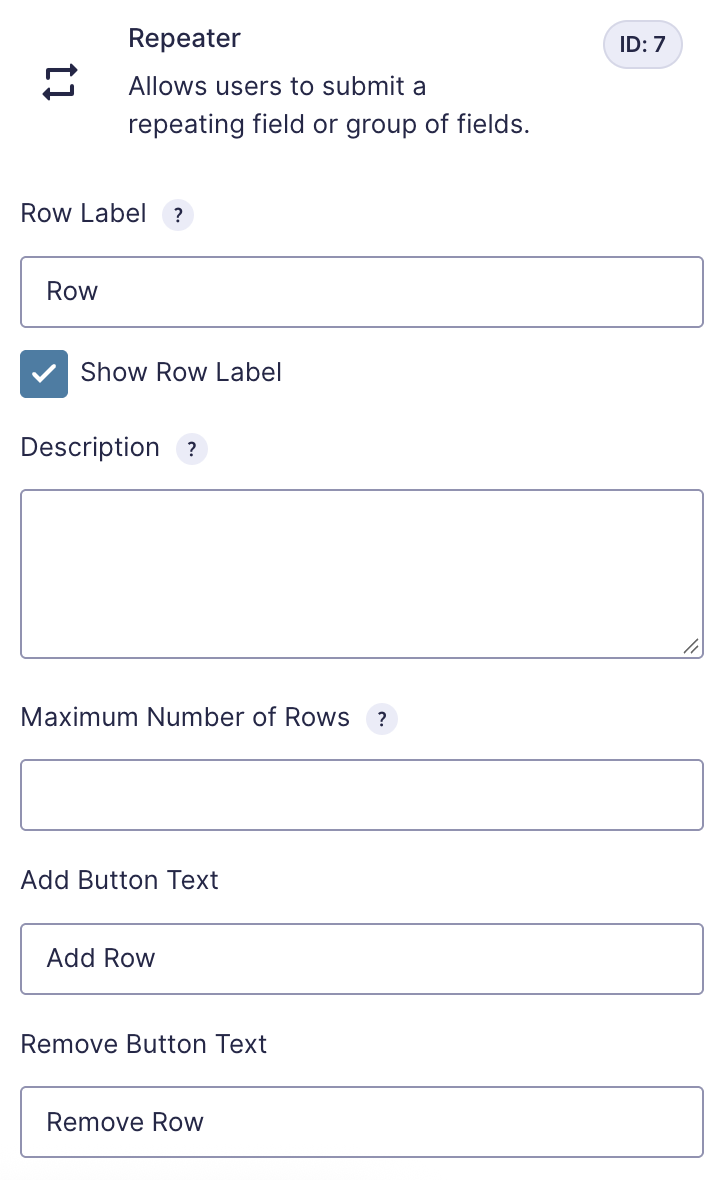
| Row Label | The label to be used for a single instance of this repeater. |
| Show Row Label | Enable the row repeat label. |
| Maximum Number of Rows | Enter the maximum number of times this repeater can be added. |
| Add Button Text | The label displayed on the button that adds a new repeater item. |
| Remove Button Text | The label displayed on the button that removes a repeater item. |
Merge Tags
For more information on the use of merge tags, refer to these articles.
Usage
{Field Name:2:modifier}
Modifiers
| Merge tag | Description |
|---|---|
:text | Plain-text export of all sub-fields and rows. |
:value | Comma-separated raw values from all sub-fields and rows. |
:rowCount | Total number of repeater rows (modifier is case-insensitive: rowCount or rowcount). Counts all submitted rows, including empty rows. |
:field_ids=10 | HTML table of sub-field 10 across all rows. Similar to {Repeater:1}, but only includes the specified field IDs. For multiple fields, use a pipe-separated list. |
:field_ids=10,text | Plain-text export of sub-field 10 across all rows. |
:field_ids=10,value | Comma-separated values of sub-field 10 across all rows. |
Nested Repeaters
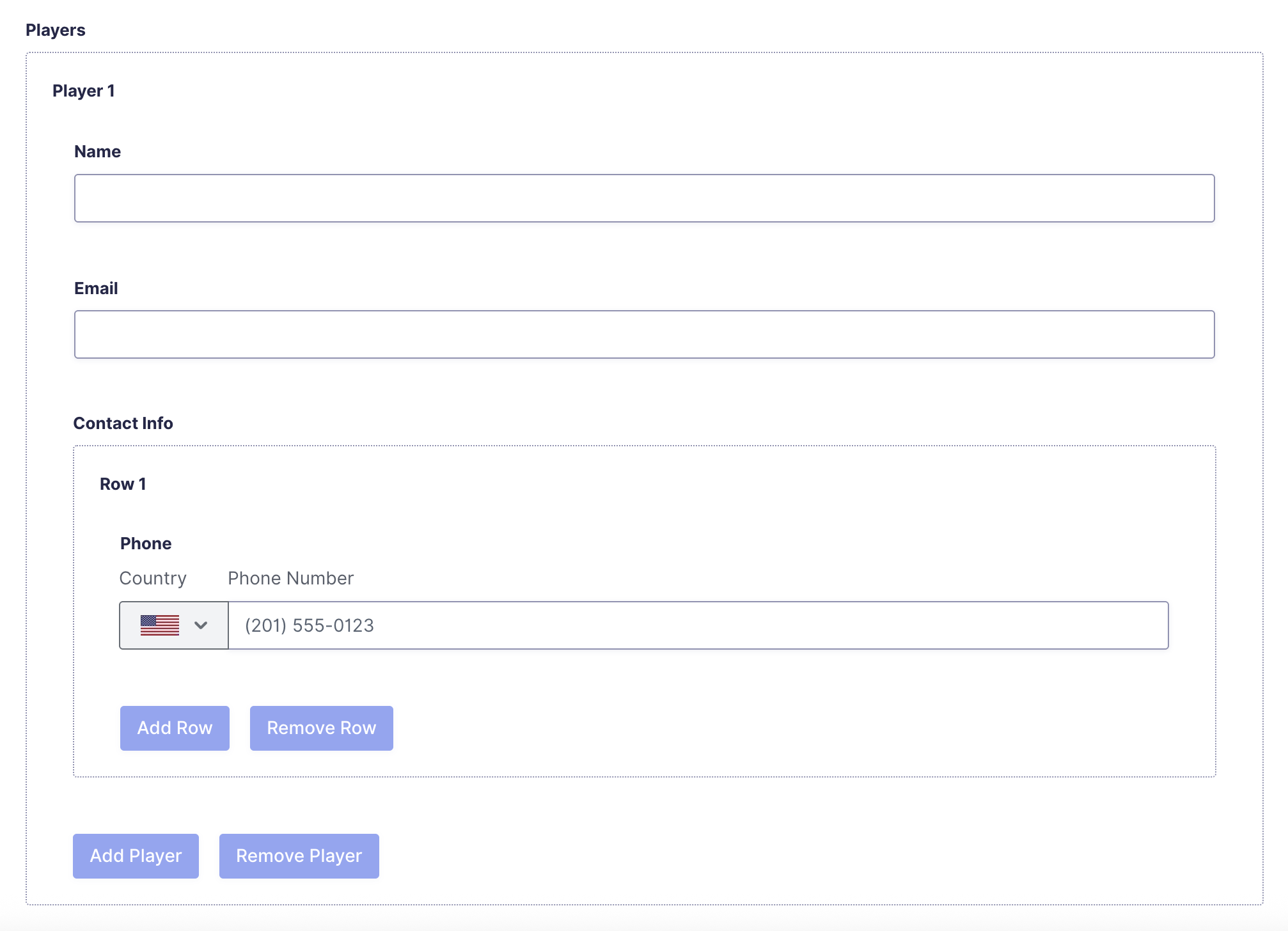
Repeater fields can be nested within other repeater fields, allowing you to capture multi-level data in a single form. For example, you could create a repeater for event attendees, with a nested repeater inside it for multiple phone numbers per attendee.
Migrate from the Beta Repeater
The Repeater field has been available in Gravity Forms for several years, but was previously classified as beta and could only be added via code. If you implemented the repeater field programmatically, refer to this article for steps to convert it to a regular Form Editor field. Migration is optional for form functionality, but required if you want to manage the field through the Form Editor UI.
Limitations
- Conditional logic rules cannot be applied to fields inside a repeater field.
- Dynamic population of fields inside nested repeaters is not yet supported.
- Calculations are not supported.
The following fields cannot be nested inside a repeater:
- 2Checkout Field
- CAPTCHA Field
- Credit Card Field
- Coupon Field
- File Upload Field
- Mollie Field
- Page Break Field
- PayPal Field
- Pipe Field
- Post Fields
- Poll Field
- Shipping Field
- Survey Field
- Stripe Field
- Square Field
- Password field
- Quiz Field
- reCAPTCHA field
- Total field
- Turnstile Field
Frequently Asked Questions
Can I nest repeaters?
Yes. Repeater fields can be nested within other repeater fields with no enforced depth limit. Consider usability and mobile layout when designing deeply nested structures.
Can I edit entries with repeater fields?
Yes. All repeater field items are displayed as editable values when viewing or editing an entry. The repeater uses indentation and line breaks to clearly display multiple levels of nested input.
Can I export and filter repeater data?
Yes. You can filter entry exports by repeater sub-field values using the Conditional Logic setting. Note that indentations and line breaks will be preserved in the exported repeater data, which is the expected format for displaying nested items.
Can I migrate from the beta repeater?
Yes. If you previously implemented the repeater field programmatically, refer to the migration article for steps to convert it to a regular Form Editor field.
Does it support Save and Continue?
Yes. The Save and Continue functionality is fully supported with repeater fields.
Can I dynamically populate a field inside a repeater?
Yes. It is supported. If a field inside a repeater supports dynamic population, you can dynamically populate that field using merge tags from the same entry or query string parameters.